
For most SMBs, the honest answer is that audit evidence is not missing. It is just everywhere. The access review spreadsheet is in SharePoint, the incident context is in Slack, the policy approval happened in email, the vendor notes are in a meeting recording, and the remediation task somehow ended up in Trello because that was the tool everyone was already using.
This is the quiet problem behind import and export integrations in risk management software. They are not shiny extras for the integrations page. They are the plumbing that turns ordinary work into usable assurance. Without them, your team spends audit week copying, downloading, renaming, re-uploading, and explaining why the same control has five different versions of the truth.
Why audit evidence is scattered by default
Nobody sets out to create a compliance treasure hunt. It happens because teams use the tools that make sense in the moment. Microsoft 365 for files and approvals. Google Workspace for policies and calendars. Slack or Teams for incident discussion. Zoom for meetings. Dropbox for shared documents. Trello for project actions. Each tool solves a real problem. The trouble starts when risk and compliance need the whole story in one place.
This is where the spreadsheet starts to wobble. A spreadsheet can list the control, owner, status, and next review date. It cannot easily prove that the policy in Google Drive is the one approved in Outlook, discussed in Teams, linked to a vendor risk, and included in the latest audit pack. That relationship is the part auditors care about.
What scattered evidence costs you
| Where evidence lives | What teams use it for | What breaks at audit time | What Guardzy should preserve |
|---|---|---|---|
| Cloud files | Policies, screenshots, exports, access reviews | Version history and ownership get separated from the control | File context linked to risks, controls, assets, and evidence |
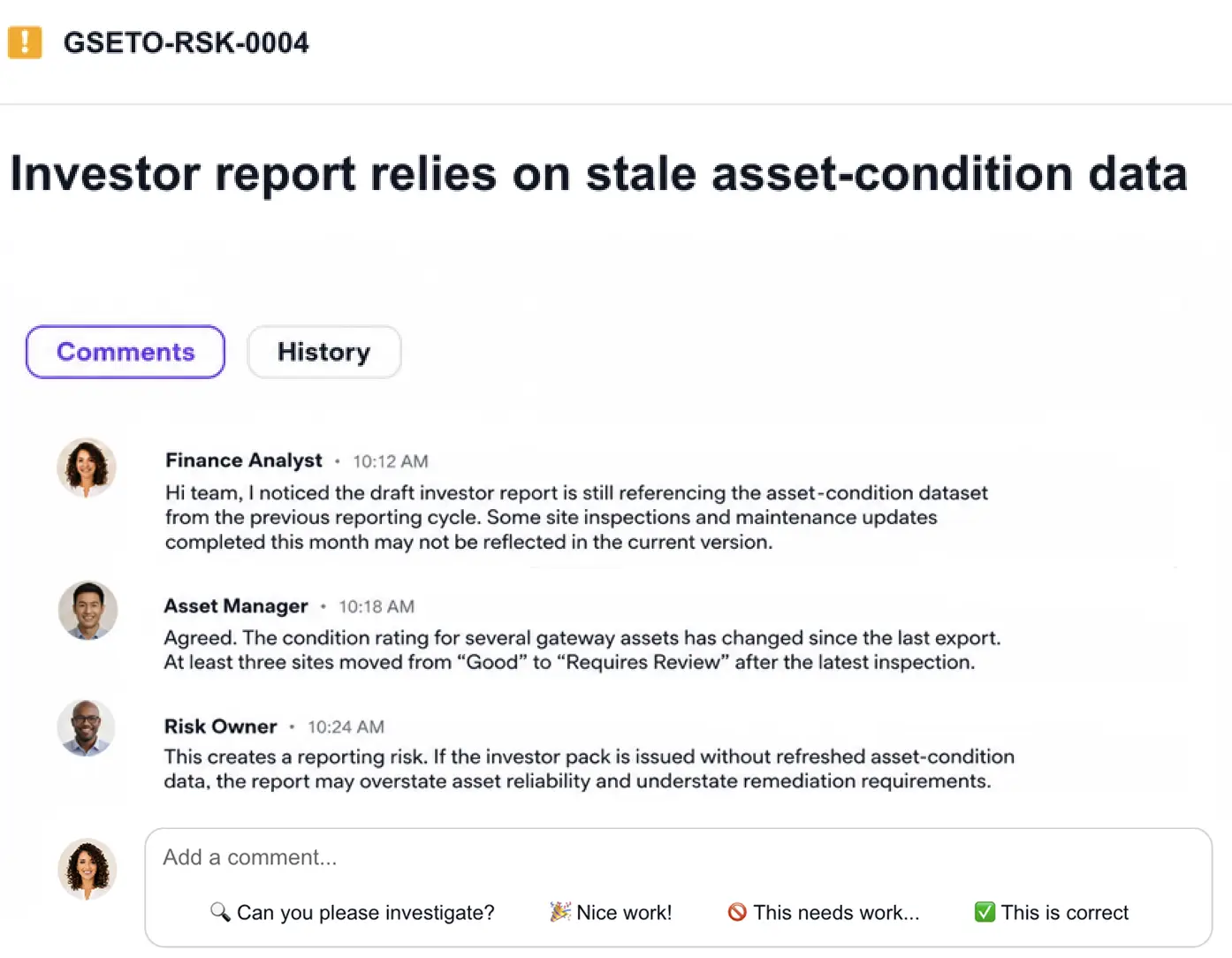
| Email and chat | Approvals, incident context, decisions, follow-ups | Important decisions hide inside threads and channels | Messages attached to the item they support |
| Meetings | Risk reviews, vendor calls, tabletop exercises | Actions and attendance drift away from the register | Meeting evidence tied to owners, tasks, and outcomes |
| Guardzy | Connected risk and compliance work | Reduces the copy-paste audit scramble | One traceable audit trail across imports, links, registers, and exports |
Import turns existing work into structured risk data
Import is useful because it starts from reality. Your team already has files, messages, calendar events, meeting notes, project cards, and documents that explain what happened. Risk management integrations should help pull that material into the right Guardzy register without making someone retype the story from scratch.
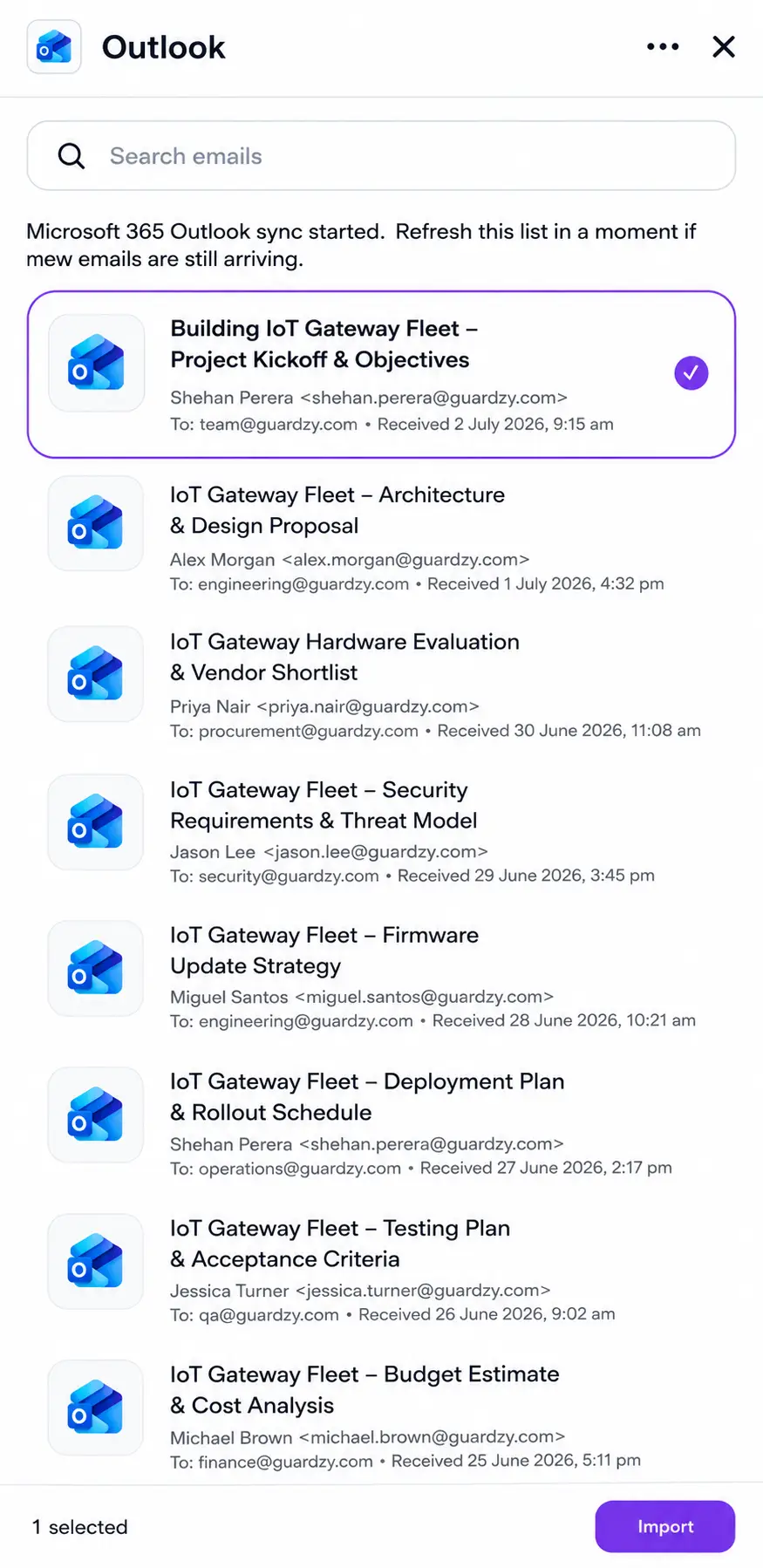
That might mean importing a policy from Google Drive into the policy register, linking a SharePoint access review to a control, capturing a Slack incident thread against an incident, or turning a Trello card into a remediation task. The point is not to hoard every file. The point is to keep the evidence close to the risk, control, owner, and decision it supports.
Cloud files become evidence, not attachments in a pile
- Problem
- Policies, screenshots, and access reviews are usually filed by folder, not by risk.
- What to look for
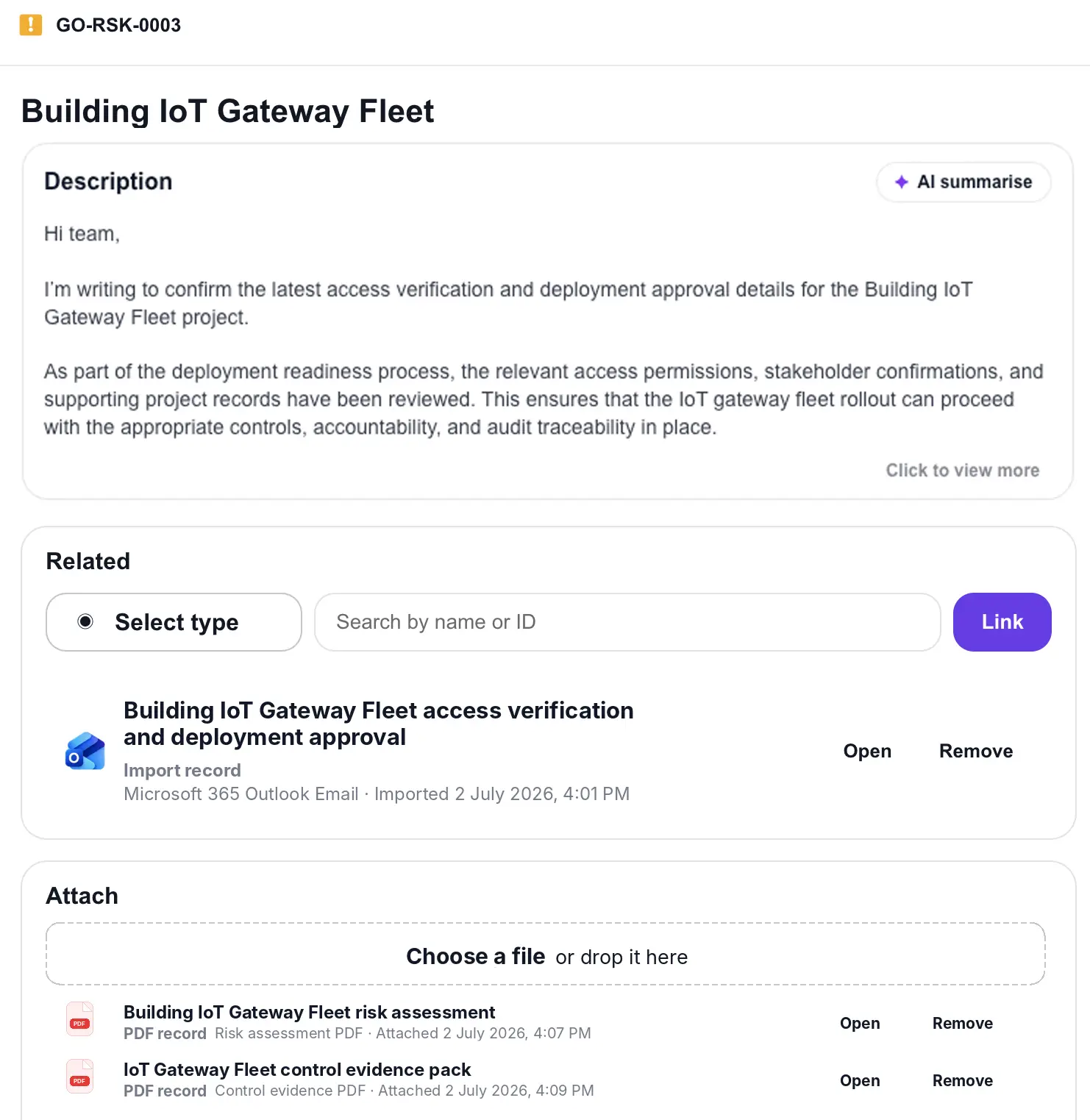
- Imports from Google Drive, OneDrive, SharePoint, and Dropbox should land against the register item they prove.
- Guardzy example
- A policy file can support a policy register item, control, audit, vendor review, or evidence record without being uploaded twice.
Meetings and projects become part of the trail
- Problem
- Risk reviews, tabletop exercises, and remediation projects create evidence that is easy to lose.
- What to look for
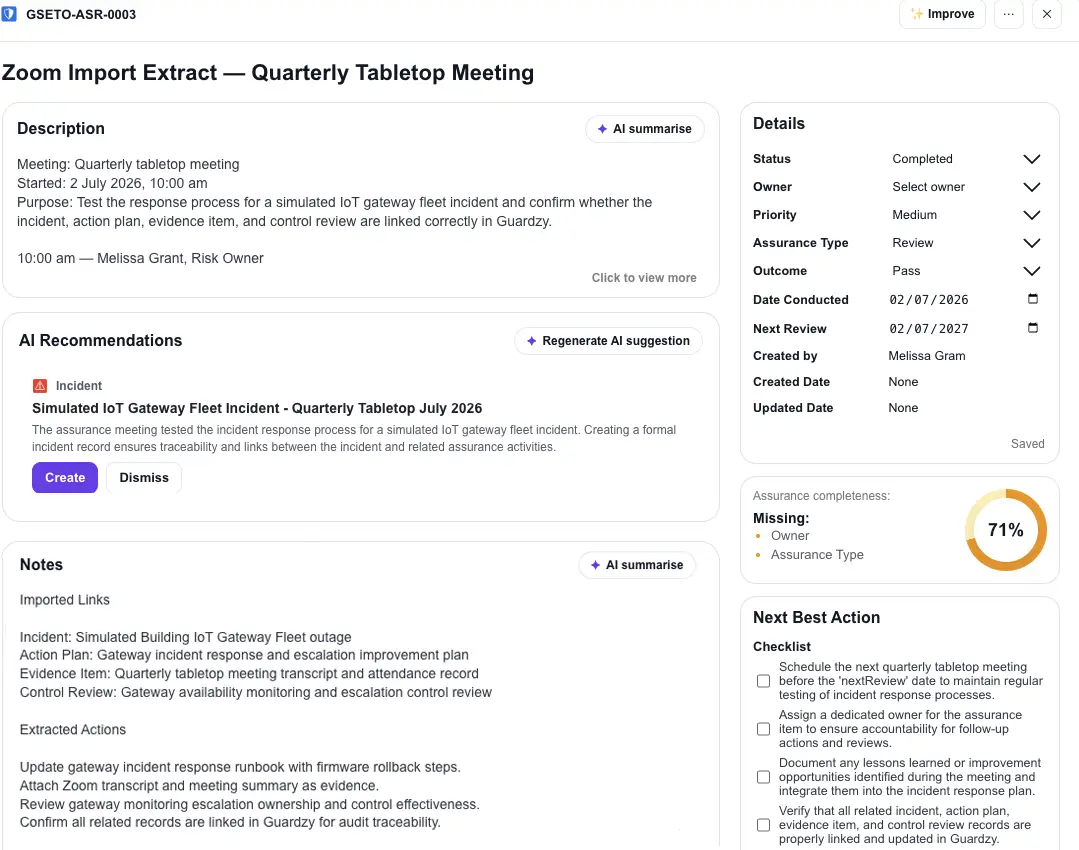
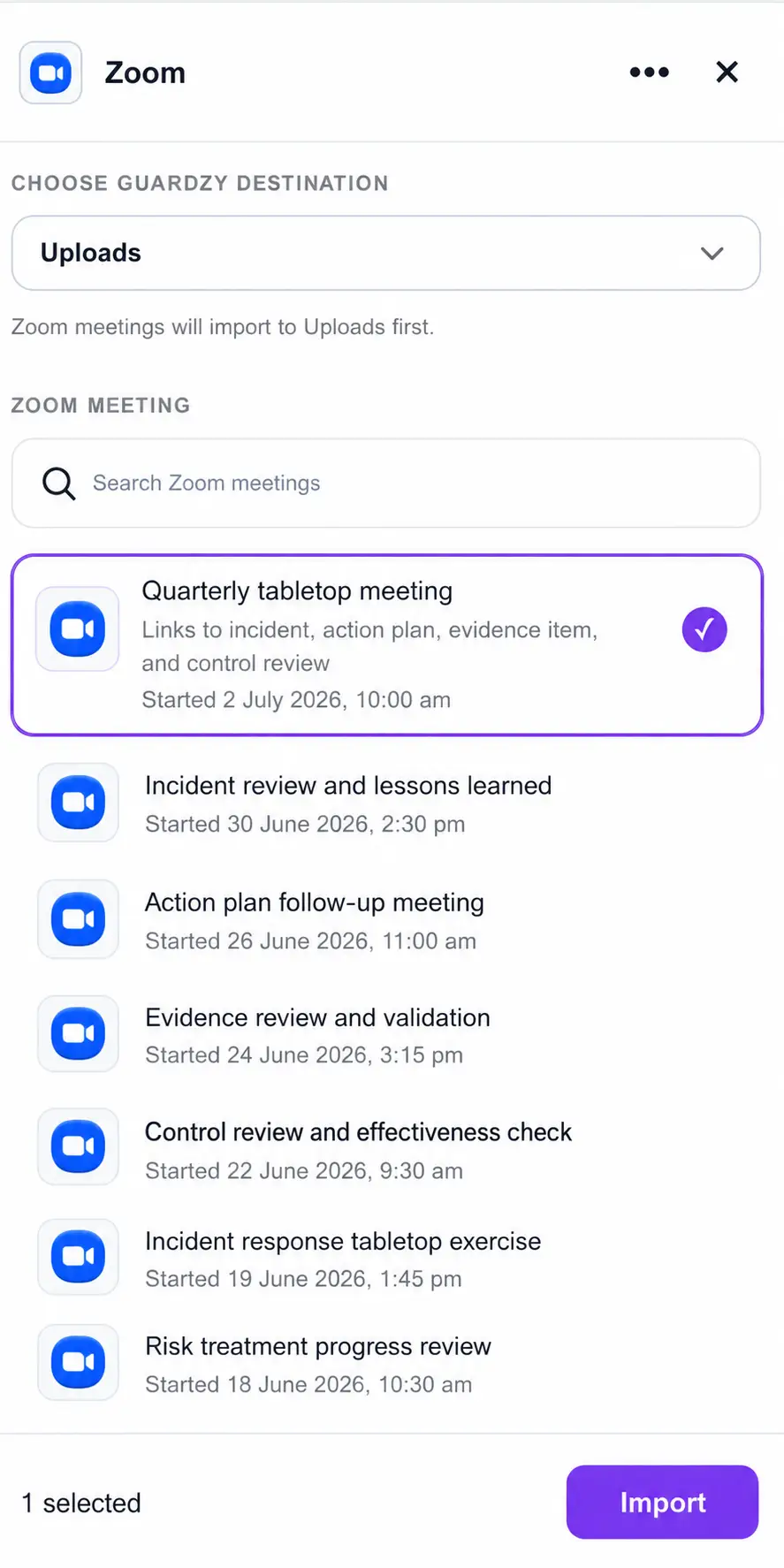
- Zoom meetings, calendars, participants, recordings, and Trello cards should connect back to owners and outcomes.
- Guardzy example
- A tabletop meeting can link to an incident, action plan, evidence item, and control review.
Export makes the register useful outside Guardzy
Export matters for the same reason import matters: risk work does not stay inside one system. Your auditor may want a PDF evidence pack. Your CFO may want a spreadsheet. Your board may want a clean summary. A customer questionnaire may ask for a control snapshot. A consultant may ask for an XLSX because that is how their review process works.
A good export workflow should give you CSV, XLSX, PDF, or DOCX outputs without breaking the connection between the item and its source. Better still, it should send the result back to the places your team already uses, such as OneDrive, Google Drive, SharePoint, Dropbox, Slack, Teams, or Outlook. The evidence trail should travel cleanly, not get flattened into a mystery file called final-final-v3.
A practical example: the suspicious payroll export
Imagine finance spots a suspicious payroll export on a shared device. The first discussion happens in Slack because that is where the team is already moving. The follow-up review happens on Zoom. The access logs are in Google Drive. The payroll fallback runbook sits in SharePoint. The remediation work goes into Trello because the operations lead lives there.
In the old version of this story, someone would spend half a day turning that trail into an audit narrative. In the better version, Guardzy pulls those fragments into one incident, links the incident to the affected asset, maps the relevant controls, records the approval trail, creates tasks for remediation, and exports a clean pack when the auditor asks what happened.
That is the real job of import and export integrations. Not just moving files around. Making the work explain itself later.
Questions to ask before you rely on integrations
- Can I import evidence from the places my team already works, including files, messages, meetings, emails, calendars, and project cards?
- Does imported evidence stay linked to risks, controls, assets, approvals, tasks, vendors, audits, and policies?
- Can I export registers and evidence packs as CSV, XLSX, PDF, or DOCX without losing context?
- Can exports be sent back to OneDrive, Google Drive, SharePoint, Dropbox, Slack, Teams, or Outlook?
- Can admins control which providers, users, domains, teams, and operations are allowed?
Frameworks like ISO/IEC 27001 and the NIST Cybersecurity Framework both reward a clean, repeatable way to connect risk decisions, controls, and evidence. Integrations help SMB teams keep that connection alive during normal work, not just during audit prep.
Ready to connect the work your team already does?
Guardzy is built for SMBs that need practical cyber governance without making every audit feel like a file-recovery exercise.
- Import evidence from cloud files, messages, meetings, calendars, emails, and project work.
- Keep imported evidence linked to registers across risks, controls, incidents, assets, vendors, audits, policies, approvals, tasks, and compliance.
- Export clean CSV, XLSX, PDF, and DOCX outputs for auditors, executives, customers, and internal reviews.

About the author
Shen Perera is the Founder of Guardzy and writes practical risk, security, and compliance guides for SMEs that need audit-ready structure without an enterprise GRC rollout.
Frequently asked questions
What are import and export integrations in risk management software?
Import and export integrations let risk management software bring evidence in from everyday tools and send structured outputs back out. Imports can include files, messages, meetings, emails, calendars, and project cards. Exports can include registers, reports, evidence packs, and tasks in formats such as CSV, XLSX, PDF, or DOCX.
Why do SMBs need audit evidence integrations?
SMBs need audit evidence integrations because their proof usually lives across cloud drives, chat, email, meetings, and project tools. Without integrations, teams spend audit prep copying files and reconstructing context. With integrations, evidence can stay connected to risks, controls, owners, approvals, and audit outputs.
Which tools should audit evidence software connect to?
Audit evidence software should connect to the tools your team already uses, not a fantasy tool stack. For most SMBs, that means Microsoft 365, Google Workspace, Slack, Teams, Zoom, Trello, Dropbox, email, calendars, and cloud storage, with admin controls over who can import, export, sync, or send data.